
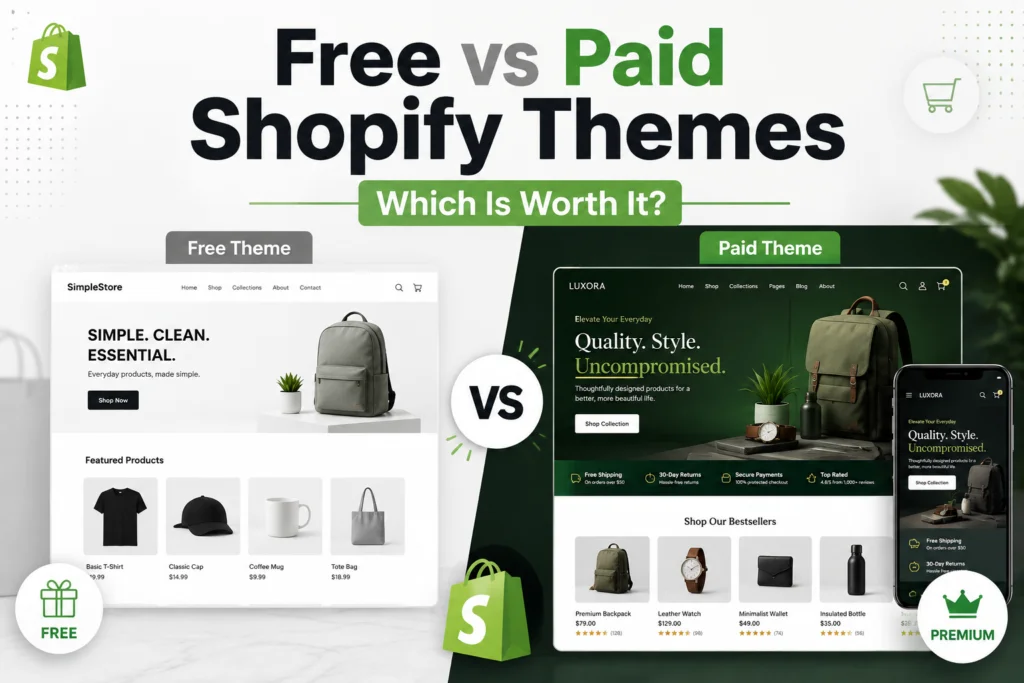
Choosing between free vs paid Shopify themes is not about which design looks more expensive. It is about what the store must do, how quickly the team needs to launch, and where the budget creates the most value. A free theme can support a serious business, while a paid theme can waste money when its features do not match the catalogue or customer journey.
This guide compares cost, product page design, mobile commerce, navigation, support, performance, brand flexibility, and maintenance. It will help you choose for a new store, a growing business, or a redesign where the theme must reduce work rather than add cost.
What you are actually buying with a Shopify theme
The free vs paid Shopify themes choice begins with understanding the theme’s role. It controls how products, collections, navigation, images, promotions, and customer actions appear across screens. It cannot repair a weak offer, unclear copy, poor photography, or an unplanned catalogue.
Modern themes use modular sections and blocks. Online Store 2.0 supports sections across most templates, while dynamic sources connect settings to products, metafields, and other content. This gives both options meaningful flexibility. Shopify’s Online Store 2.0 documentation explains the architecture.
The practical difference is ready made functionality. Free themes provide a dependable selling foundation. Paid themes usually add more sections, layouts, merchandising controls, and visual direction. The fee is worthwhile when it reduces design, app, or development work.
Free vs paid Shopify themes comparison at a glance
| Decision area | Free Shopify theme | Paid Shopify theme |
| Initial licence cost | No theme licence fee | One time fee for one store licence |
| Core commerce features | Strong coverage of essential selling features | Essential features plus broader merchandising options |
| Design range | Clean and adaptable, but often familiar | More visual styles, presets, and specialist layouts |
| Product page design | Suitable for standard product information and media | Often includes richer galleries, tabs, badges, bundles, and promotional sections |
| Store navigation | Works well for simple and moderate catalogues | More likely to include advanced mega menus and promotional navigation |
| Support | Shopify supports its own free themes within defined limits | Theme developer provides documentation and product support |
| Custom work | May need code, apps, or purchased sections for advanced needs | May reduce custom work when the included feature set fits |
| Best fit | New stores, lean teams, validation projects, focused catalogues | Growing brands, complex catalogues, stronger brand requirements, faster design delivery |
How Shopify theme pricing works in practice
The visible price is only the first cost
The free vs paid Shopify themes pricing gap is visible, but the fee is only one part of the decision. On 5 August 2026, Shopify listed 24 free themes and more than 1,000 paid themes, with visible paid prices from about 100 to 500 US dollars. Listings change, so verify the current Shopify Theme Store before publication or purchase.
A paid theme is generally licensed to the original store. Separate live stores need separate licences, and unlicensed copies are not eligible for official support or updates. Check Shopify’s theme buying and licensing guidance before planning regional or expansion stores.
Free does not mean the project costs nothing
A free theme removes the licence fee, but the project may still require design time, copywriting, product photography, custom sections, app subscriptions, testing, and developer support. A free theme with three paid apps can cost more over two years than a paid theme that includes equivalent functions.
This is why a useful Shopify pricing comparison should include total ownership cost. List every feature the store genuinely needs. Then compare the theme price with the cost of apps, development, maintenance, and the staff time required to manage the resulting setup.
Paid does not mean every feature is included
Use Shopify’s trial option before buying. You can preview a paid theme with your own products and customise its settings before purchase, although code editing is restricted during the trial. This is enough to test product templates, collections, navigation, colour settings, typography, and mobile behaviour before committing.

Where free Shopify themes perform well
Launching a focused store without unnecessary complexity
When comparing free vs paid Shopify themes for a new store, the free option is often the better starting point. It lets a team focus on products, photography, policies, fulfilment, and customer acquisition rather than a long list of visual effects.
This is especially useful when the business is still validating its offer. A founder selling one hero product, a small collection of handmade goods, or a tightly edited range of essentials does not automatically need an advanced theme. Clear product information and strong images usually matter more than a complex layout.
Using a dependable commerce foundation
Shopify develops its free themes with current commerce features, sections, blocks, reusable content, and dynamic product information. For a lean build, this provides useful flexibility without starting from custom code.
There is also a support advantage. Eligible merchants using a Shopify built free theme may receive up to 60 minutes of design support for defined small changes. The scope is limited, so check Shopify’s theme support policy for current terms.
Where free themes become limiting
The store needs a more specific merchandising experience
The limitations in a free vs paid Shopify themes comparison appear when selling depends on features such as visual discovery, comparison tools, lookbooks, promotional navigation, advanced badges, quick purchase, or flexible editorial templates.
Apps and custom sections can add these functions, but several separate additions may create inconsistent controls, duplicate scripts, subscriptions, and maintenance. At that point, a paid theme with a closer native fit can be simpler.
Brand differentiation depends on layout, not only styling
Colours and fonts do not always create a distinctive brand. Some businesses need unusual product grids, editorial pages, campaign layouts, a specific mobile menu, or deeper product storytelling. When layout carries the brand, a free theme may require substantial custom work.
The catalogue has become harder to browse
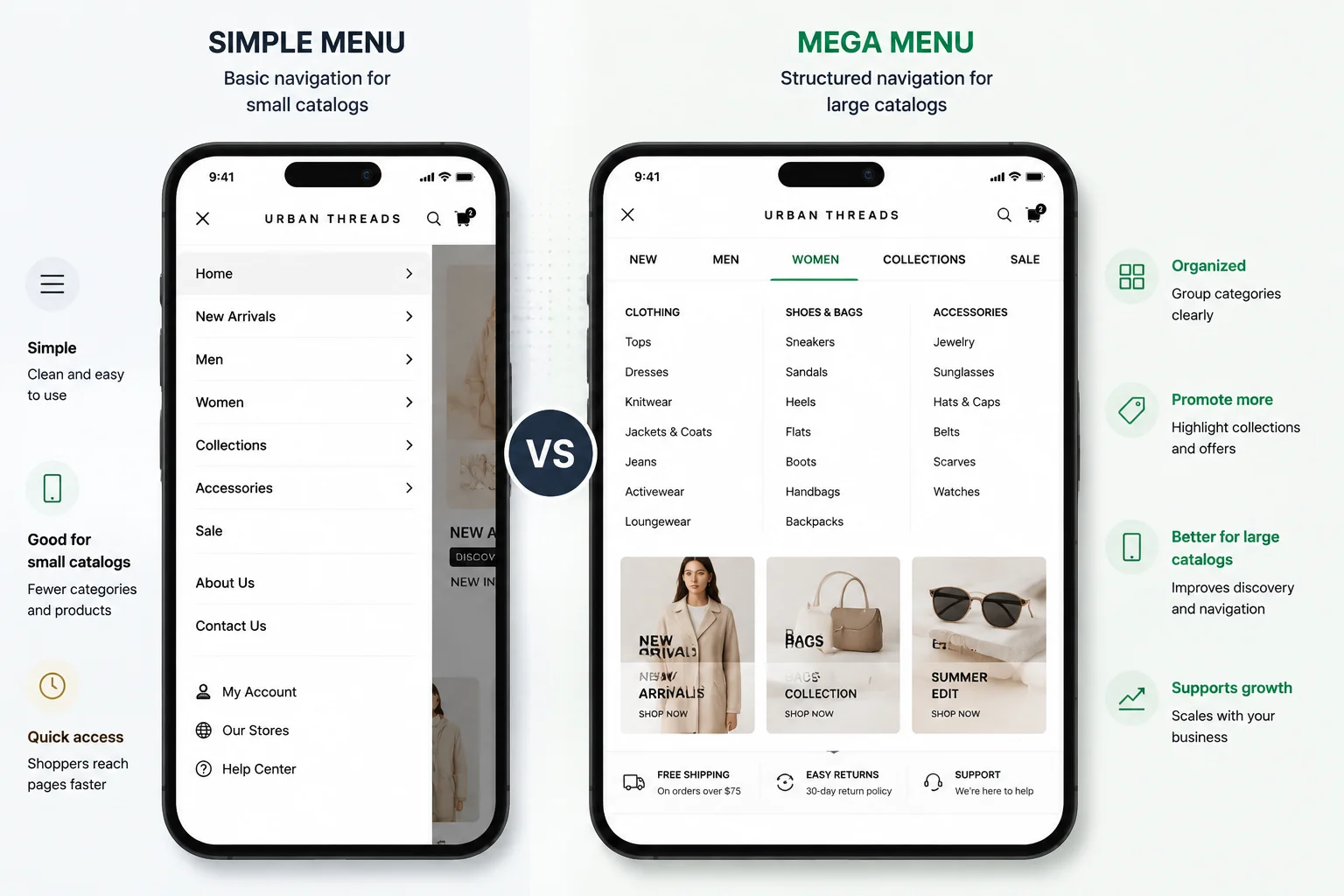
Large or varied catalogues place more pressure on store navigation and collection design. Customers may need filters, colour swatches, in menu promotions, quick view, breadcrumbs, and clearer paths between categories. Many paid themes are built around these use cases, although individual features must still be checked.
For practical guidance on store structure, product pages, and launch priorities, use Mahmud Jibon’s Shopify quick start guide alongside the theme evaluation. A theme choice works best when it follows a clear catalogue and customer journey plan.

What paid Shopify themes usually add
More ready made sections and templates
Paid options in a free vs paid Shopify themes comparison can reduce the gap between a generic setup and the desired store. They may add product layouts, galleries, promotional sections, comparison blocks, size guidance, video, and flexible content cards.
These features matter when they replace apps or custom work. A long feature list has little value when the store will not use it or when it makes content management harder.
Stronger navigation and merchandising controls
Paid themes often offer more control over mega menus, promotional images inside navigation, product cards, filtering, swatches, quick view, recently viewed products, and collection merchandising. For stores with dozens or hundreds of products, these details can shorten the path between landing and purchase.
The benefit is operational as well as visual. A merchandising team can launch seasonal edits without requesting code changes for every campaign, which can justify the theme fee.
A clearer visual point of view
Many paid themes are built around a recognisable design language. One may suit premium fashion with large editorial photography. Another may prioritise compact product discovery for a busy catalogue. Another may be designed for food, beauty, hardware, or wholesale buying patterns.
Presets show what a design can become, but demo content can mislead. Test the theme with real media, copy length, variants, reviews, and collection sizes.
Developer documentation and product support
Paid theme support comes from the developer. Good documentation and responsive help are valuable, but support usually covers the theme as sold, not custom development, app debugging, or redesign work.
Shopify recommends checking the available support before purchase. Every theme in the official store should provide documentation, and paid theme details can be accessed through the theme editor. Review the official guidance on choosing themes before comparing vendors.
Why a paid theme is not automatically an upgrade
Performance depends on the final implementation
The free vs paid Shopify themes label does not predict speed. Paid themes may contain more scripts, while free themes can slow down after apps, tracking, fonts, large media, and widgets are added. The final implementation matters more than the licence.
Official Theme Store submissions must meet Shopify’s performance and accessibility thresholds. This is a quality floor, not a guarantee for the finished store, because content, apps, code, analytics, and devices affect results. Review the Theme Store requirements for current criteria.
More options can create more inconsistency
A theme with many sections can tempt the team to use too many of them. Homepages become longer, product pages repeat the same claims, and campaign content competes with the primary purchase path. A stronger theme still requires editing and restraint.
A theme cannot solve a strategy problem
If customers do not understand the offer, no theme can repair it. If the catalogue taxonomy is confusing, a sophisticated mega menu may simply display the confusion more attractively. If photography lacks consistency, a premium editorial layout can make the weakness more visible.
Before buying, confirm the audience, product hierarchy, content plan, navigation, and measurement approach. Businesses still comparing platforms can read Mahmud Jibon’s WordPress and ecommerce platform comparison. Choose the platform before the theme.
Free vs paid Shopify themes: seven decision factors
Use these seven factors to turn a free vs paid Shopify themes debate into a decision based on the store’s real requirements.
1. Catalogue size and product complexity
For free vs paid Shopify themes, catalogue size is a clear signal. Small ranges often suit free themes. Large catalogues with many categories, variants, specifications, or buying routes may need stronger navigation and product card controls. Test the largest realistic collection.
2. Product page content
A useful free vs paid Shopify themes test starts with the product page. List the media, variants, sizing, materials, delivery, bundles, reviews, documents, comparisons, questions, and related products customers need. The theme should present them clearly on mobile without overlapping tools.
3. Brand design requirements
Brand expression often settles the free vs paid Shopify themes question. Decide whether photography, type, colour, and copy are enough, or whether the layout itself must feel distinctive. Paid themes often provide stronger visual structure with less custom work.
4. Team skills and publishing habits
A technical team may prefer a lean free theme with targeted custom sections. A marketing team that launches weekly campaigns may value a paid theme with richer controls. Choose what the team can maintain consistently.
5. Budget beyond the licence
A responsible free vs paid Shopify themes budget compares the licence with twelve months of app fees, development, and staff time. A 400 dollar theme can be economical when it removes recurring apps or custom tasks, but wasteful when only basic sections are used.
6. Required integrations
Check critical apps for reviews, subscriptions, search, filters, loyalty, translation, bundles, and product options. Test the trial theme with real data rather than relying on a general compatibility claim.
7. Expected life of the design
The expected lifespan matters in a free vs paid Shopify themes decision. A validation store may change quickly, so a free theme limits commitment. An established brand may justify a paid theme that reduces rework, while still budgeting for updates, testing, and content.

Realistic project examples
These examples show how free vs paid Shopify themes can make sense for different businesses without treating either option as universally better.
A new direct to consumer product
A founder with three products and limited sales data needs to validate the offer. A free theme is usually sensible, leaving budget for photography, copy, reviews, fulfilment, and traffic tests.
A growing fashion store
A fashion store with 180 products, seasonal drops, colour variants, and weekly updates may justify a paid theme that includes swatches, quick shopping, a mega menu, product badges, and editorial sections.
A technical equipment catalogue
A technical catalogue needs specifications, documents, compatibility notes, and complex filtering. A specialist paid theme may help, but custom templates or a focused app may still be required. Prototype one complete journey first.
A campaign led one product store
A one product store may use a free theme for the core shop and a dedicated landing page tool for campaigns. Buying a broad premium theme for one landing page feature can waste the budget.
Common mistakes when comparing themes
Most free vs paid Shopify themes mistakes happen when teams compare polished demos instead of their own products, workflows, and customer needs.
- Choosing from the demo homepage alone. Test product, collection, search, cart, policy, and content pages.
- Ignoring mobile commerce. Review navigation, image cropping, variant selection, sticky controls, and text length on a real phone.
- Counting features without checking usefulness. A shorter feature list can be better when every feature supports the customer journey.
- Assuming paid themes remove the need for design. Content hierarchy, art direction, spacing, and page editing still matter.
- Buying an unofficial copy. Themes outside the official store may not receive the same review, updates, or support, and unlicensed themes are not eligible for official support.
- Skipping the trial. Add real products, menus, apps, markets, and content before purchase.
- Customising too early. Launch the strongest native version first, observe customer behaviour, then commission changes with evidence.
A practical theme evaluation checklist
Use the following process for any free vs paid Shopify themes comparison. It keeps the decision grounded in the store you are building rather than the most attractive demo.
- Write the required feature list before browsing themes. Separate essential, useful, and optional features.
- Shortlist no more than three themes. Include at least one free option as a control.
- Add representative products, including the product with the most variants, longest title, largest media set, and most detailed description.
- Build one home page, one collection, one product page, one editorial page, and the complete main navigation.
- Test the experience on common mobile screen sizes. Check tap targets, image crops, menus, variant controls, cart actions, and readability.
- Install critical apps in a duplicate theme and check visual consistency, loading behaviour, and duplicated features.
- Review theme documentation, update history, support boundaries, and recent merchant feedback.
- Test performance after adding realistic content. Do not judge an empty theme preview.
- Check keyboard navigation, focus states, labels, colour contrast, alt text handling, and form usability.
- Estimate the twelve month ownership cost, including the licence, apps, development, and internal publishing time.
Shopify’s theme editor lets merchants adjust sections, blocks, colours, content, templates, and app embeds. The exact controls depend on the theme architecture and included settings. The official theme editor overview is a useful reference when comparing what each theme exposes to nontechnical staff.

Which option is better for growing online stores?
For growing stores, the free vs paid Shopify themes choice should change only when the current setup creates measurable problems. A growing store should not upgrade simply because revenue has increased. It should upgrade when the existing theme creates measurable operational or customer experience problems. Examples include repeated custom development, poor collection discovery, limited campaign publishing, difficult product storytelling, or a growing stack of apps that duplicate features available in a better matched theme.
Paid themes are worth considering when the business can name the features that improve merchandising or reduce ongoing work. Free themes remain strong for focused catalogues and teams that prefer simplicity.
The most useful rule is straightforward. Choose a free theme when it gives you the right customer journey without structural compromise. Choose a paid theme when its native features replace real costs, shorten delivery, or improve how the team operates. In both cases, test with your content before committing.
Final Thought
The free vs paid Shopify themes decision is not a contest between basic and professional. Both can support credible, well designed stores. The better choice depends on how closely the theme fits the catalogue, product information, navigation, brand direction, team skills, integrations, and budget.
Start with the simplest option that meets genuine requirements. Free themes suit validation, focused catalogues, and lean teams. Paid themes become worthwhile when built in capabilities reduce app costs, custom work, or publishing friction. Do not buy for an imagined future, but do not keep forcing a theme the business has outgrown.
Not sure whether your current theme is helping or holding the store back? Request a Shopify design review from Mahmud Jibon to assess the storefront structure, product pages, mobile experience, navigation, and theme fit before you spend more on apps or custom work.
Frequently asked questions
Are free Shopify themes good enough for a professional store?
In the free vs paid Shopify themes comparison, professionalism comes from fit and execution rather than price alone.
Yes. A free Shopify theme can support a professional store when the catalogue, content, and required features fit the theme. Strong photography, clear product information, disciplined branding, and easy navigation matter more than the theme price.
Do paid Shopify themes improve conversion rates?
Not automatically. A paid theme may provide better merchandising tools or a more suitable product page, but conversion depends on the offer, traffic quality, pricing, trust, content, usability, performance, and checkout experience. Treat theme purchase as one part of the system.
Can I switch from a free theme to a paid theme later?
Yes. Shopify lets you add and preview other themes while keeping the current theme available. Theme settings and templates do not always transfer directly, so plan time for rebuilding pages, checking apps, testing tracking, and reviewing mobile layouts before publishing the new theme.
Is a paid theme cheaper than using apps?
It can be. Compare the one time licence with the recurring cost of apps that provide similar features. Also consider whether the theme implementation is cleaner and easier to maintain. Do not count an included feature as savings unless the store will actually use it.
What is the safest place to buy a Shopify theme?
The official Shopify Theme Store is the safest default because published themes must meet Shopify’s technical, design, performance, and accessibility requirements. Buying elsewhere requires additional due diligence on licensing, code quality, updates, security, support, and compatibility.
Should I choose a theme based on industry?
Industry filters can narrow the search, but customer behaviour and catalogue structure are more important. A beauty store and a food store may share similar subscription, education, and product discovery needs. Test the specific features and templates rather than relying on the industry label.
How long should a Shopify theme last?
There is no fixed lifespan. A well maintained theme can serve a store for years, but business changes may create new requirements. Review the theme when the catalogue expands, the brand changes, mobile usability declines, app costs rise, or routine merchandising requires repeated workarounds.
What should I test before buying a paid theme?
Before finalising a free vs paid Shopify themes choice, test the complete buying path with real store content.
Test real products, the largest collection, mobile navigation, variant selection, cart behaviour, search, key apps, long copy, markets, languages, and the team’s publishing workflow. Confirm the support policy and calculate total ownership cost before purchase.